Fridge not cooling: safe checks you can do in 30 minutes
Before you assume the compressor has failed, check the settings, door seals, airflow and coils. These checks are safe, need no tools beyond a vacuum and help you describe the fault.
In this guide
Short answer: before you assume the compressor has failed, check five things: the temperature setting, the door seals, blocked air vents inside, dusty condenser coils and the space around the fridge. These checks are safe, take about 30 minutes, and either fix the problem or give a technician a much clearer description of the fault. Fridge not cooling? These checks are the right place to start.
Key takeaways
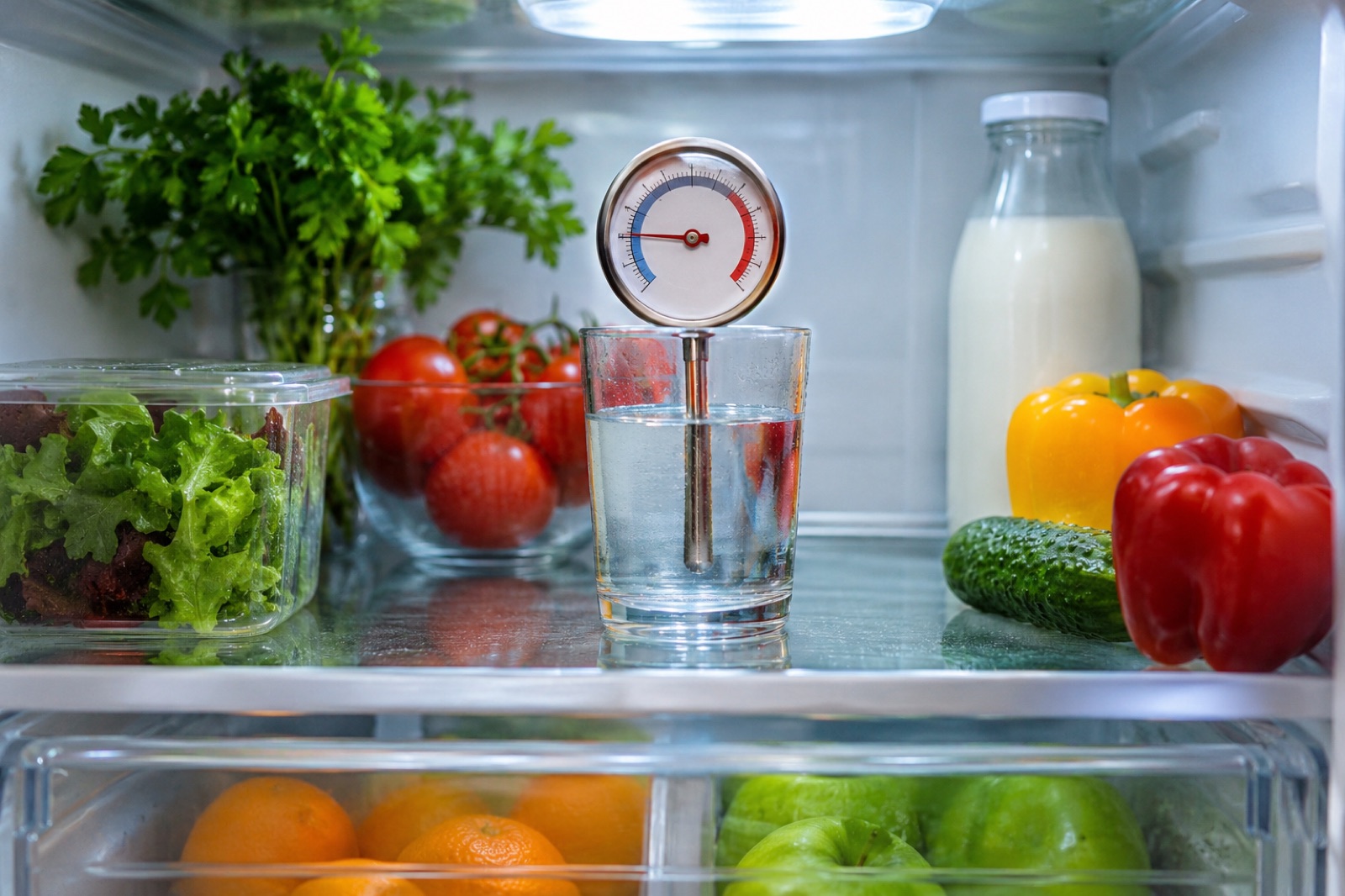
- Measure, do not guess: put a thermometer in a glass of water on a middle shelf.
- The fridge should be at or below 40°F (4°C), and the freezer at 0°F (−18°C).
- Keep the doors closed while you work out what is wrong, so food stays cold longer.
- Heavy frost on the back wall, a fan that never runs or a clicking compressor are jobs for a technician.
- Never try to open the sealed refrigerant system.
First: protect your food
Keep the doors closed as much as you can. US food-safety guidance says a closed refrigerator keeps food safe for about 4 hours without power, and a full closed freezer for about 48 hours (24 if half full). Move the most perishable items to a cooler with ice if the problem lasts. When in doubt about food that has been warm, throw it out.
Check 1: Measure the real temperature
Put an appliance thermometer in a glass of water on the middle shelf and read it after several hours. Water shows the food temperature better than the air. If it reads above 40°F (4°C), the fridge is too warm.
Check 2: The setting
Dials and touch controls get bumped. Check that the fridge is set to a normal cold setting and that no vacation, demo or showroom mode is switched on. Your manual explains how to turn those modes off. After changing a setting, give it a day before you measure again.
Check 3: Door seals
- Look for torn, flattened or dirty seals, and clean them with warm soapy water.
- Close the door on a sheet of paper and pull it out. You should feel resistance. Repeat around the door. Where the paper slides out easily, the seal is not sealing.
- Check that the fridge is level enough for the doors to close on their own, and that nothing inside stops the doors from closing fully.
Check 4: Airflow inside
In many fridges, cold air comes from the freezer through vents. If food is pressed against those vents, the fridge section warms up even though the freezer is fine. Move items away from vents and avoid overpacking.
Check 5: Coils and space around the fridge
- Unplug the fridge first. Find the condenser coils, on the back or behind a grille at the bottom front, as described in the manual. Vacuum the dust off gently with a brush attachment. Some models have no reachable coils.
- Leave the gap around the fridge that the manual asks for. A fridge squeezed into a tight cabinet cannot get rid of heat.
- Very hot or very cold rooms, such as garages, can stop some fridges working well. Check the room temperature range in the manual.
Plug it back in and measure again after 24 hours.
Check 6: Water and frost
- Water under the crisper drawers often means a blocked defrost drain. Some manuals show how to clear it. Follow those steps only.
- A thick layer of frost on the back wall of the freezer usually points to a defrost system fault. That is a technician's job.
Signs it needs a technician
- The light works but the fridge stays warm after all checks and 24 hours.
- You cannot hear the compressor or fans running at all, or the compressor clicks on and off repeatedly.
- Heavy frost builds up on the freezer's back panel.
- Any burning smell, a hot plug, or a chemical smell at the back. Unplug, ventilate and call a professional.
Before you book, check the warranty and recalls in what to check before you pay. When you have a quote, use our guide to deciding whether to repair or replace a refrigerator.
Fridge not cooling: what each sign usually means
| Sign | Usually means | Who fixes it |
|---|---|---|
| Fridge warm, freezer cold | Blocked vents or a fan problem | You (vents), technician (fan) |
| Both warm, compressor runs | Dusty coils, no space around the fridge | You |
| Paper slips out of the door | Worn or dirty seal | You (clean), technician (replace) |
| Water under the crisper | Blocked defrost drain | You, if the manual shows how |
| Thick frost on the back wall | Defrost system fault | Technician |
| Clicking, no cooling | Compressor start problem | Technician |
Write down which signs you see. A fridge not cooling with a clear description is quicker, and often cheaper, to diagnose.
Frequently asked questions
My freezer is cold but the fridge is warm. Why?
In many models, the fridge gets its cold air from the freezer. Blocked vents, a failed fan or a frosted-up evaporator can stop that air reaching the fridge section. Clear the vents first. If the problem continues, a technician should check the fan and defrost system.
I just moved the fridge. Why is it not cold yet?
A fridge needs time to cool down after being switched on, often many hours. Some manuals also ask you to wait before switching on a fridge that was transported lying down. Check yours.
Is it safe to vacuum the coils?
Yes, with the fridge unplugged and a soft brush attachment, as the manual describes. Do not bend fins or tubes, and do not open any panels the manual does not mention.
Sources
Check for a recall before you pay for a repair
A recall can mean a free fix or replacement. Search with the model number from the rating plate. “No match” does not prove a machine is safe.